
Free Standard
No trial$0/ month
No payment card required.
Download
1 Mbps
Upload
0.5 Mbps
Browse, message, and watch video.
- No ads
- No monthly data limit
- No time limit
- No account, email, or signup
Get Free Standard
No payment card required
One tap connects your Android device through an encrypted WireGuard tunnel.
Free Standard
1 Mbps
Browse, message and watch video.
Premium
15× faster15 Mbps
Stream HD video and download faster.
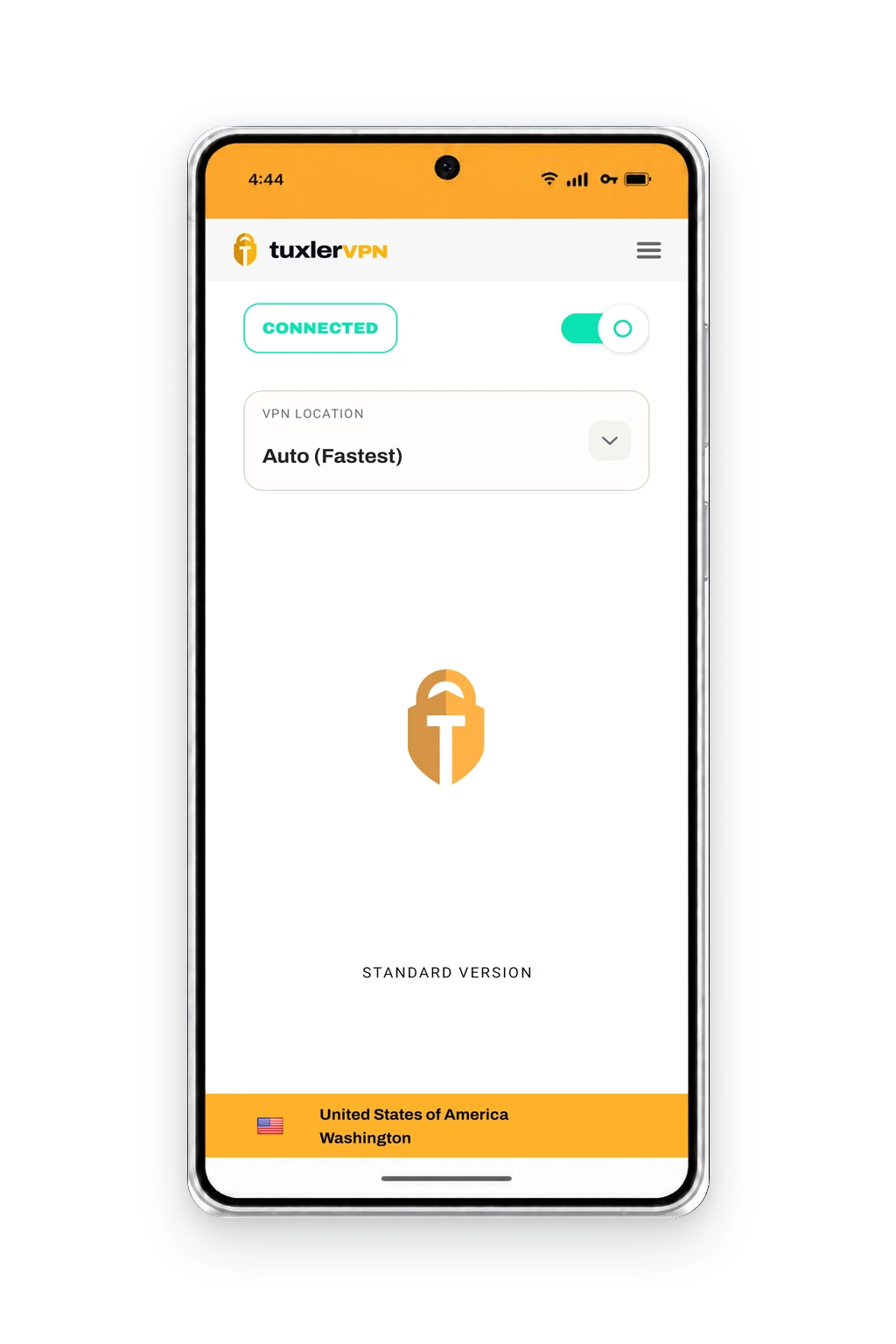
Connect with one tap.
Standard is a genuine free plan, not a trial. Premium keeps the same simple experience and increases both download and upload speed.
$0/ month
No payment card required.
Download
1 Mbps
Upload
0.5 Mbps
Browse, message, and watch video.
No payment card required
Choose Premium billing
$3.33/ month
$39.99 billed annually.
$5.99/ month
Billed monthly.
Download
15 Mbps
Upload
7.5 Mbps
Smoother HD streaming and faster downloads.
Regional pricing may differ. Google Play shows your exact price before purchase and manages the subscription.
WireGuard encryption
Both plans create the same encrypted tunnel to the selected gateway.
No browsing or DNS logs
Essential session metadata clears when you disconnect.
Available country locations
Choose the gateway location you want inside the Android app.
Speed figures are plan allocations. Your actual connection speed also depends on your network, selected gateway, and device.
Connect through an encrypted tunnel, choose the gateway that fits, and confirm when the VPN is active.

More privacy on shared Wi-Fi
When connected at a café, hotel, or airport, traffic sent through TuxlerVPN Mobile travels inside an encrypted tunnel. The Wi-Fi network can see the VPN connection, but not the websites and services reached inside it.

Connect automatically or choose a country
For the simplest connection, keep the default Any location selected and tap Connect. TuxlerVPN Mobile chooses an available gateway for you. To connect through a particular country, open the location list and choose one before connecting.

See when the VPN is active
TuxlerVPN Mobile shows Connected when the encrypted tunnel is active. Android may also display a VPN or key icon, so you can confirm the connection at a glance.
One tap creates an encrypted WireGuard tunnel from your Android device to the selected TuxlerVPN gateway.
Your device
Sends encrypted request
TuxlerVPN gateway
Decrypts and forwards on
Website
Sees the gateway IP for routed traffic
The encrypted tunnel protects covered traffic between your Android device and the selected gateway. From there, the gateway routes it to its destination.
Choose a location, connect over Wi-Fi or mobile data, and use Android’s own VPN controls when you want them.
Use Android’s built-in Always-on VPN and optional Block connections without VPN controls.
Connect over Wi-Fi or mobile data. WireGuard supports endpoint updates as your phone moves between networks.
Choose from the available country gateways directly inside TuxlerVPN Mobile.
Use the interactive connection guide or contact support if you need a hand.
The essentials about access, everyday use, privacy, and Premium billing.
No. Free Standard works without an account, email address, payment card, or signup. If you choose Premium, Google Play handles the purchase and confirms your plan in the app.
Read the account-free guide →Open the app, choose an available country, and tap Connect. Android creates the VPN connection and TuxlerVPN Mobile shows when the encrypted WireGuard tunnel is active.
See how the connection works →TuxlerVPN Mobile does not retain your browsing history, DNS queries, or VPN traffic content. Essential session metadata is used while you are connected and cleared when you disconnect.
See the complete retention details →Yes. Premium is managed through Google Play, where you can cancel at any time. New subscriptions include a 30-day money-back guarantee, and our refund guide walks you through the request steps.
See cancellation and refund steps →No ads, no monthly data limit, no time limit, and no signup. Upgrade only when you want the faster Premium speeds.